
Just like Item Banks, Rubrics follow the instructor, so you’ll have access to them whenever you’re creating assignments. Once you’ve created a rubric in Canvas, you can share it across multiple assignments without having to rebuild it from scratch.
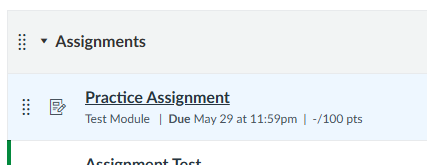
- Go to Assignments or Quizzes and open it.
- Open the Assignment that you want to add the Rubric.
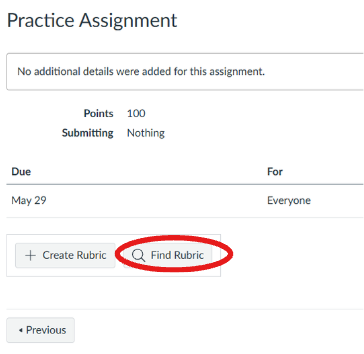
- Scroll down to the bottom, click Find Rubric.
- This will open a box to the right, where you can search by current or past courses or the rubric name.
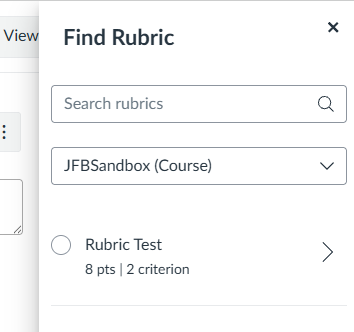
- At the bottom, click Add.