
When you create the weighted assignments for your Gradebook, you actually have to go to Assignments to set this up. Here you’ll be able to attach the grade type for each assignment category such as points, percentage, etc. This will then automatically apply to your Gradebook in the the Grade link in the course navigation.
- Click Assignments in the course navigation.
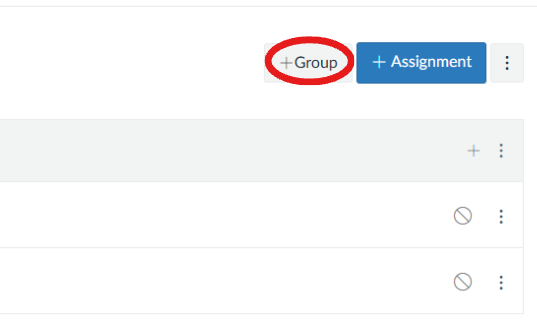
- Click +Group to create a new category (e.g., Quizzes, Discussions).
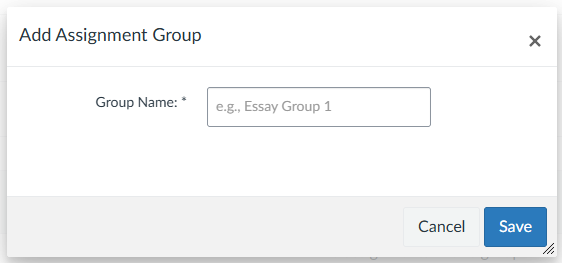
 You’ll name the category in the text box that pops up, then click Save.
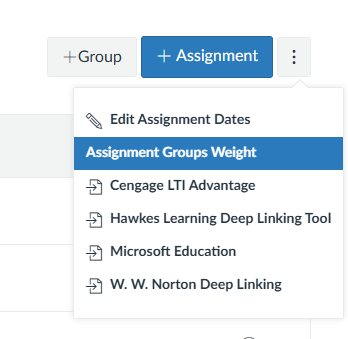
- Click the three-dot menu next to Assignments at the top and select Assignment Group Weights.
- Check Weight Final Grade Based on Assignment Groups. Enter a percentage for each group (the total being 100%).
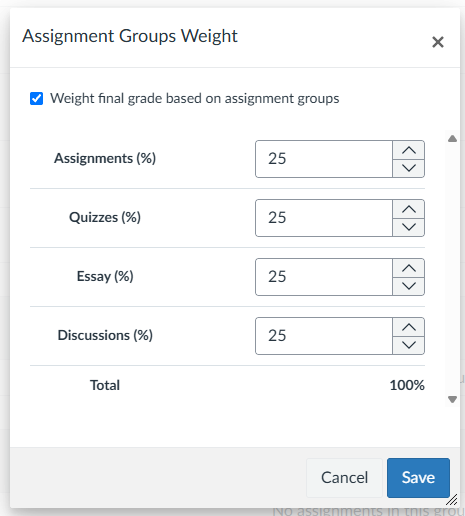
- Click Save