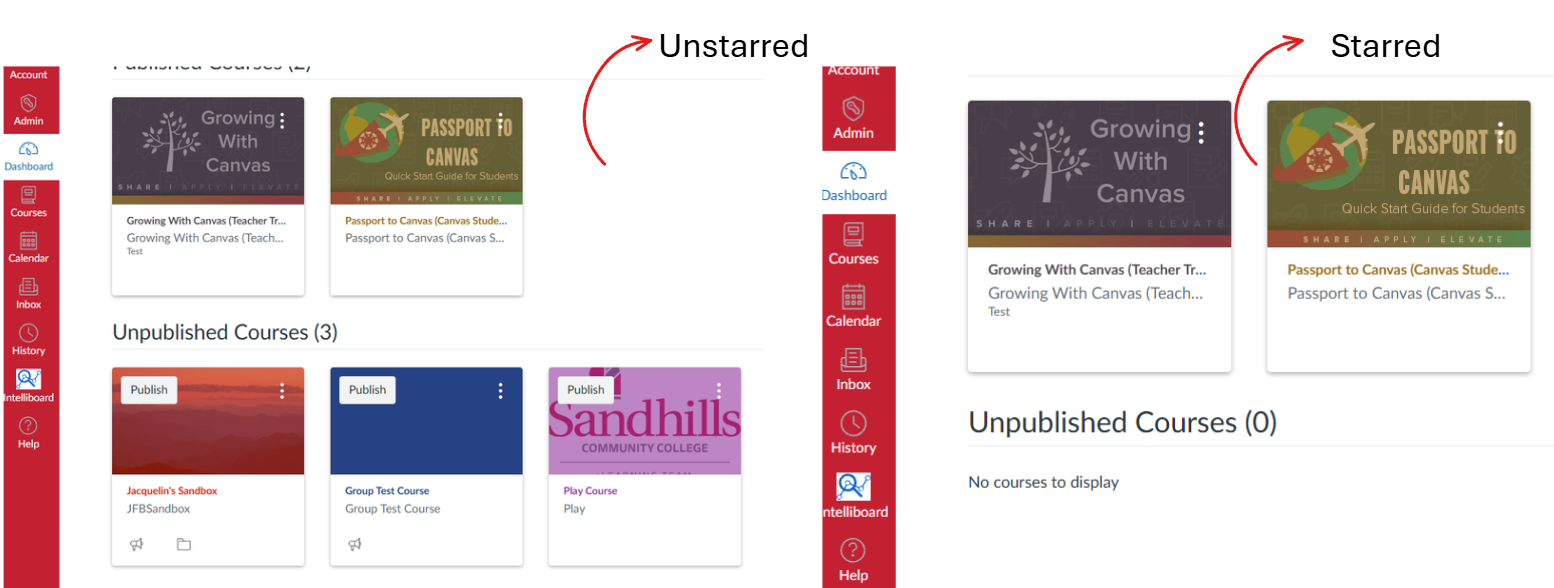
Often time Canvas will organize your dashboard with past and current courses. In order to only see your current courses you can ‘Star’ them so they are the only cards to appear on your dashboard.
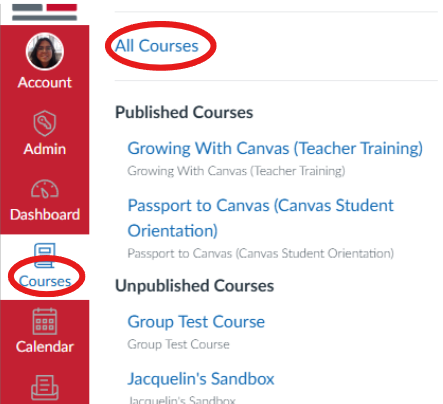
Note: To see past courses, click Courses in the red side bar, at the top of the menu you’ll see All Courses. This will show you a list of past and current courses.
- Click Courses in the global navigation, then All Courses.
- Find the course in the list and click the star icon next to it’s name.
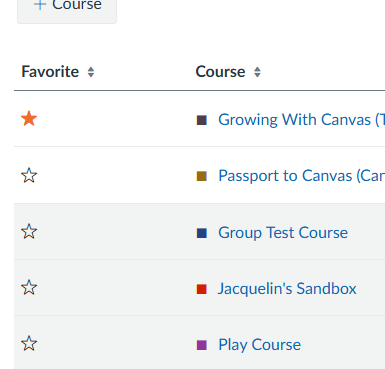
- Starred courses now appear as cards on your Dashboard, unstarred ones won’t show up even though you’re still enrolled.